
Raspberry Pi vs Mini PC for Arcade Machines: Which Should You Choose?
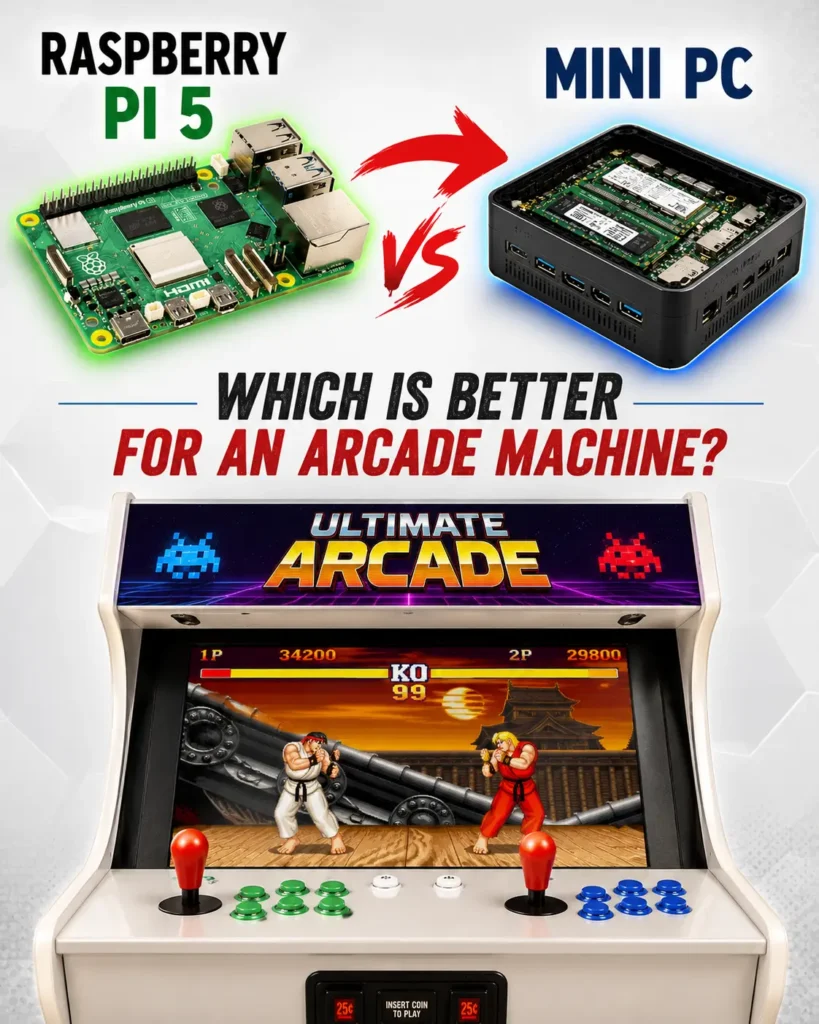
Why This Comparison Matters
Raspberry Pi is no longer the default choice for every arcade machine
For many years, Raspberry Pi was the obvious recommendation for DIY arcade builders. It was affordable, compact, energy efficient, and capable of running thousands of classic arcade games through RetroPie, Recalbox, and Batocera.
However, the arcade hardware landscape has changed dramatically.
Today, Mini PCs based on Intel N100, Intel N97, AMD Ryzen processors, and even refurbished office computers have become surprisingly affordable while offering significantly more performance and flexibility.
Once you factor in the cost of a Raspberry Pi board, power supply, cooling solution, storage, and accessories, the total investment can be surprisingly close to that of an entry-level Mini PC.
As a result, many arcade enthusiasts are now asking a different question:
Should you still build an arcade machine around a Raspberry Pi, or is a Mini PC now the smarter choice?
After building and restoring arcade machines since 1985, we believe the answer depends less on budget than many people think.
Why Raspberry Pi 4 Is Not Included
Before we begin, it is worth mentioning that this comparison focuses on Raspberry Pi 5 and modern Mini PCs.
While Raspberry Pi 4 played an important role in the evolution of DIY arcade machines, it is now showing its age when compared to modern hardware. Running advanced MAME configurations, CRT shaders, bezel packs, higher rendering resolutions, and demanding arcade platforms can quickly push the Pi 4 beyond its comfort zone.
For basic retro gaming, Raspberry Pi 4 remains perfectly usable. However, for builders seeking the best possible arcade experience, most enthusiasts today are comparing Raspberry Pi 5 against Mini PCs based on Intel N100, Intel N97, AMD Ryzen processors, or refurbished office computers.
For that reason, Raspberry Pi 4 is not included in the performance comparisons throughout this article.
Quick Answer: Raspberry Pi vs Mini PC
If you simply want the shortest answer possible, here it is.
| Feature | Raspberry Pi | Mini PC |
|---|---|---|
| Initial Cost | Good | Good |
| Performance | Good | Excellent |
| Arcade Emulation | Good | Excellent |
| Console Emulation | Limited | Excellent |
| CRT Shaders | Limited | Excellent |
| Frontend Support | Good | Excellent |
| Light Gun Support | Limited | Excellent |
| Future Upgrades | Limited | Excellent |
| Long-Term Value | Moderate | Excellent |
For most modern arcade machine projects, a Mini PC offers significantly better performance and flexibility for a relatively small increase in cost.
However, Raspberry Pi still remains a fantastic option for budget-conscious DIY builders and compact arcade projects.
Raspberry Pi vs Mini PC: Key Differences at a Glance
| Feature | Raspberry Pi 5 | Mini PC (Intel N100 / N97 / Ryzen) |
|---|---|---|
| CPU Architecture | ARM | x64 |
| Initial Cost | Lower board price | Slightly higher |
| Real-World Cost | Often similar after adding power supply, cooling, storage, and accessories | Usually sold as a complete ready-to-use system |
| MAME Performance | Good | Excellent |
| CRT Shaders | Limited to moderate | Excellent |
| Batocera | Excellent | Excellent |
| Hyperspin | Limited | Excellent |
| LaunchBox / Big Box | Not supported | Excellent |
| TeknoParrot | Not supported | Excellent |
| Sega Naomi | Good | Excellent |
| Atomiswave | Good | Excellent |
| Sega Model 2 | Limited | Excellent |
| Sega Model 3 | Limited | Good to Excellent |
| PlayStation 2 | Limited | Excellent |
| GameCube | Limited | Excellent |
| Wii | Limited | Excellent |
| Light Gun Support | Limited | Excellent |
| Sinden Light Gun | Possible but limited | Excellent |
| Trackballs & Spinners | Good | Excellent |
| Storage | MicroSD or SSD | SSD / NVMe |
| Upgradeability | Very Limited | Excellent |
| Cooling | May require active cooling | Built-in cooling solution |
| Power Consumption | Excellent | Good |
| Ease of Setup | Moderate | Easy |
| Long-Term Value | Good | Excellent |
| Authentic Arcade Experience | Good | Excellent |
| Best For | Budget DIY builds and compact projects | Premium arcade machines and advanced emulation |
Who Should Choose a Mini PC?
✅ You want the best possible arcade experience
✅ You plan to use advanced CRT shaders
✅ You want Hyperspin, LaunchBox, or Big Box frontends
✅ You want PlayStation 2, GameCube, Wii, or TeknoParrot support
✅ You plan to use Sinden Light Guns
✅ You want maximum compatibility and future upgrade options
Who Should Choose Raspberry Pi?
✅ You have a very tight budget
✅ You enjoy DIY projects and tinkering
✅ You mainly play classic arcade systems
✅ You need extremely low power consumption
✅ You are building a very compact arcade machine
What Is a Raspberry Pi Arcade Machine?
A Raspberry Pi arcade machine uses a small ARM-based single-board computer to run arcade emulation software.
Most Raspberry Pi arcade builds rely on platforms such as:
- RetroPie
- Batocera
- Recalbox
- RetroArch
For many years, Raspberry Pi was the foundation of countless bartop arcade machines, cocktail cabinets, and DIY retro gaming projects.
Its popularity came from several factors:
- Low power consumption
- Small physical size
- Huge community support
- Affordable entry price
- Easy access to emulation software
Even today, Raspberry Pi remains a popular choice for hobbyists building their first arcade cabinet.
If you are planning a complete DIY arcade build, our guide on How to Make Your Own Arcade Machine explains the hardware, controls, displays, and common mistakes that many beginners encounter.
What Is a Mini PC Arcade Machine?
A Mini PC arcade machine uses a compact x64 computer rather than an ARM-based board.
Popular examples include:
- Intel N100 Mini PCs
- Intel N97 Mini PCs
- AMD Ryzen Mini PCs
- Lenovo Tiny systems
- Dell OptiPlex Micro
- HP EliteDesk Mini
Unlike Raspberry Pi systems, these computers run the same architecture used by most desktop PCs.
This brings several important advantages:
- Greater emulator compatibility
- Better frontend support
- Higher performance
- Easier upgrades
- Better support for advanced arcade features
Many modern arcade enthusiasts now choose Mini PCs because they offer a much smoother experience when running demanding arcade systems and newer emulators.
For users interested in modern arcade frontends and emulation platforms, our Batocera Arcade Console for TV demonstrates how powerful compact PC hardware has become for retro gaming.
Why Raspberry Pi Became So Popular
It is important to understand why Raspberry Pi became the standard recommendation for arcade builders in the first place.
Ten years ago, Mini PCs were often expensive, bulky, and power hungry.
Raspberry Pi offered something revolutionary:
- A complete computer for a very low price
- Silent operation
- Tiny footprint
- Excellent support from the RetroPie community
For many arcade enthusiasts, Raspberry Pi made DIY arcade projects accessible for the first time.
Without Raspberry Pi, the modern arcade hobby would probably look very different today.
That is why this article is not about criticizing Raspberry Pi.
It is about understanding how the hardware market has evolved.
Why Many Arcade Builders Are Moving Away from Raspberry Pi
The biggest reason is simple:
Mini PCs have become dramatically better while Raspberry Pi prices have steadily increased once accessories are included.
Today, many builders discover that a complete Raspberry Pi setup may cost far more than expected.
A typical build often requires:
- Raspberry Pi board
- Power supply
- Active cooling
- SSD or MicroSD storage
- Case
- Additional adapters
Once these costs are combined, the gap between Raspberry Pi and Mini PC hardware becomes much smaller than most people expect.
At the same time, Mini PCs continue to deliver significantly more processing power and compatibility.
This has led many enthusiasts to reconsider whether Raspberry Pi is still the best long-term investment for arcade gaming.
Why x64 Still Has the Advantage for Arcade Emulation
One of the biggest differences between Raspberry Pi and Mini PCs is architecture.
Raspberry Pi uses ARM processors.
Most Mini PCs use x64 processors from Intel or AMD.
While ARM support has improved enormously over the years, many arcade emulators and frontends were originally designed and optimized for x64 systems.
As a result, Mini PCs often provide:
- Better compatibility
- More mature software support
- Easier setup
- Better performance in demanding systems
This becomes particularly important when users want to run:
- Sega Naomi
- Atomiswave
- PlayStation 2
- TeknoParrot
- Light Gun software
- Advanced frontend environments
If you have already read our Pandora Box vs MAME comparison, many of the same advantages that make MAME attractive over Pandora Box also explain why many enthusiasts now prefer Mini PCs over Raspberry Pi.
Expert Tip
Many arcade enthusiasts focus on the number of CPU cores when choosing hardware. In reality, strong single-core performance is often more important for arcade emulation. Popular platforms such as MAME, PCSX2, Supermodel, and TeknoParrot can benefit significantly from fast individual cores, which is one reason why modern processors such as Intel’s 14th Gen Core i3-14100 perform so well in demanding arcade builds.
Arcade and Console Emulation Performance
While the previous comparison highlights general strengths and weaknesses, the table below focuses on real-world emulation performance across some of the most popular arcade and console platforms used by arcade enthusiasts today.
The differences become particularly noticeable when running newer systems such as Sega Naomi, Atomiswave, PlayStation 2, and TeknoParrot.
For classic arcade gaming, both platforms perform very well.As soon as newer systems enter the equation, Mini PCs begin pulling ahead very quickly.
| Platform | Raspberry Pi 5 | Intel N100 | Intel N97 | Ryzen Mini PC | Intel Core i3-14100 |
|---|---|---|---|---|---|
| CPS1 / CPS2 / Neo Geo | Excellent | Excellent | Excellent | Excellent | Excellent |
| MAME (Classic) | Excellent | Excellent | Excellent | Excellent | Excellent |
| Sega Naomi | Moderate | Excellent | Excellent | Excellent | Excellent |
| Atomiswave | Moderate | Excellent | Excellent | Excellent | Excellent |
| Sega Model 2 | Limited | Excellent | Excellent | Excellent | Excellent |
| Sega Model 3 | Limited | Good | Excellent | Excellent | Excellent |
| PlayStation 2 | Limited | Good | Excellent | Excellent | Excellent |
| Nintendo GameCube | Limited | Good | Excellent | Excellent | Excellent |
| Nintendo Wii | Limited | Good | Excellent | Excellent | Excellent |
| TeknoParrot | Not Recommended | Moderate | Good | Excellent | Excellent |
| CRT Shaders | Limited | Good | Excellent | Excellent | Excellent |
| Hyperspin | Limited | Good | Excellent | Excellent | Excellent |
| LaunchBox / Big Box | Not Supported | Excellent | Excellent | Excellent | Excellent |
| Sinden Light Guns | Limited | Good | Excellent | Excellent | Excellent |
| Overall Arcade Experience | Good | Very Good | Excellent | Excellent | Excellent |

CRT Shaders and Visual Quality
One of the biggest differences between simply playing arcade games and recreating an authentic arcade experience comes down to visual presentation.
Many arcade enthusiasts underestimate just how demanding high-quality CRT shaders can be. While Raspberry Pi 5 can run many classic arcade games and basic shader configurations, more advanced CRT shader presets often require compromises in performance, visual quality, or overall system responsiveness.
Modern Mini PCs and even entry-level Intel N100 systems generally provide a much smoother experience when using shaders designed to recreate the look of original arcade monitors.
Original arcade machines did not use modern LCD panels. They used CRT monitors, which produced scanlines, phosphor glow, natural motion blur, and a distinctive image that many players still remember today.
Modern emulation uses shaders to recreate these effects.
Popular examples include:
– CRT Royale
– Mega Bezel
– Guest CRT
– CRT Easymode
While Raspberry Pi can run basic shader configurations, more advanced presets often require compromises in either performance or image quality.
Mini PCs have a clear advantage here.
Systems based on Intel N100, Intel N97, and AMD Ryzen processors can comfortably handle advanced shader configurations while maintaining smooth gameplay and low input latency.
For arcade enthusiasts trying to recreate the appearance of original arcade monitors, this alone is often enough reason to choose a Mini PC.
Light Gun Support
Light gun games remain one of the most demanding areas of arcade emulation.
Titles such as:
Time Crisis
House of the Dead
Virtua Cop
Point Blank
Area 51
require reliable hardware compatibility and accurate input handling.
While Raspberry Pi can support some light gun configurations, setup can be more complex and software compatibility is often more limited.
Mini PCs offer several advantages:
Better Windows compatibility
Easier Sinden Light Gun support
Broader emulator support
Better performance in demanding light gun games
If light gun gaming is an important part of your arcade project, a Mini PC is usually the easier and more future-proof choice.
Cost Comparison
Many people assume Raspberry Pi is dramatically cheaper.
That was certainly true in the past.
Today, however, the difference is often much smaller than expected.
Typical Raspberry Pi Build
Raspberry Pi 5
Power supply
Cooling solution
Case
Storage
Operating system setup
Typical Mini PC Build
Intel N100 Mini PC
Storage included
Cooling included
Power supply included
Operating system included
When everything is added together, the final cost can be surprisingly similar.
For many builders, spending slightly more for significantly better performance becomes an easy decision.
Why Mini PCs Make More Sense for Premium Arcade Machines
When building a premium arcade cabinet, hardware limitations become much more noticeable.
Modern arcade enthusiasts often expect:
Advanced MAME configurations
CRT shaders
Hyperspin frontends
Batocera systems
Light gun support
Thousands of compatible games
Future upgrade potential
These requirements push beyond what many Raspberry Pi systems were originally designed to do.
This is one reason why most of our premium arcade machines now rely on PC-based hardware rather than ARM-based solutions.
For example, our Bartop Arcade Machine uses high-performance PC hardware to deliver advanced emulation, modern frontends, and the flexibility enthusiasts expect from a premium arcade system.
Arcade Hardware Cheat Sheet
If you simply want the fastest recommendation, use the table below.
| Goal | Recommended Hardware |
|---|---|
| Lowest Budget | Raspberry Pi 5 |
| Compact DIY Build | Raspberry Pi 5 |
| Casual Retro Gaming | Raspberry Pi 5 |
| Batocera Gaming | Mini PC |
| MAME Enthusiast | Mini PC |
| CRT Shaders | Mini PC |
| Light Gun Games | Mini PC |
| Hyperspin Frontends | Mini PC |
| PlayStation 2 Emulation | Desktop PC |
| TeknoParrot | Desktop PC |
| Maximum Performance | Intel Core i3-14100 or better |
| Premium Arcade Cabinet | Desktop PC |
| Long-Term Investment | Desktop PC |
Which Hardware Do We Recommend Today?
Ten years ago, we would have recommended Raspberry Pi for almost every DIY arcade project.
The value proposition was impossible to ignore.
Today, however, the situation is very different.
Modern Mini PCs have become smaller, faster, quieter, and far more affordable than many people realize.
At the same time, arcade emulation has become more demanding. Advanced shaders, newer arcade platforms, modern frontends, and light gun ecosystems all benefit from the additional performance offered by x64 hardware.
Raspberry Pi remains a fantastic platform for hobbyists and budget-conscious builders.
However, if your goal is to build the best possible arcade machine rather than simply the cheapest one, a Mini PC is often the smarter long-term investment.
Frequently Asked Questions
Is Raspberry Pi still good for arcade machines?
Yes. Raspberry Pi remains an excellent choice for budget-friendly DIY arcade projects and classic arcade emulation.
Is a Mini PC better than Raspberry Pi?
For most modern arcade machine builds, yes. Mini PCs generally offer better performance, compatibility, frontend support, and upgrade potential.
Is Intel N100 good for arcade emulation?
Absolutely. Intel N100 systems provide excellent value and are capable of running most arcade emulators, Batocera builds, and frontend environments with ease.
Can Raspberry Pi run MAME?
Yes. Raspberry Pi can run many MAME titles successfully, particularly older arcade games. More demanding systems and advanced shader configurations may require more powerful hardware.
Can Raspberry Pi run PlayStation 2 games?
Some lighter PlayStation 2 titles may be playable on Raspberry Pi 5, but performance varies significantly. Mini PCs generally provide a much better experience for PS2 emulation.
Is Intel Core i3-14100 good for arcade emulation?
Yes. The Intel Core i3-14100 offers exceptional single-core performance, making it an excellent choice for demanding arcade platforms such as TeknoParrot, Sega Model 3, PlayStation 2, advanced MAME configurations, and CRT shaders. For enthusiasts seeking a premium arcade experience, it provides significantly more headroom than entry-level Mini PCs.
What hardware is best for a premium arcade machine?
For enthusiasts seeking maximum compatibility, advanced CRT shaders, frontend customization, light gun support, and future upgrade options, modern x64 hardware remains the preferred solution. While Mini PCs offer excellent value, more powerful desktop-class systems such as Intel’s 14th Gen Core i3 processors can provide the best overall arcade experience.
Final Thoughts
There was a time when Raspberry Pi was unquestionably the best recommendation for arcade builders.
Today, the answer is no longer so simple.
Mini PCs have become dramatically more affordable while offering substantially better performance, compatibility, and flexibility.
The biggest surprise for many builders is not that Mini PCs outperform Raspberry Pi systems. It is that they often cost far less than people expect. Once storage, cooling, power supplies, and accessories are taken into account, the price difference is frequently much smaller than it was a decade ago.
That does not mean Raspberry Pi is obsolete. Far from it.
For many hobby projects, it remains an excellent platform and a great way to get started with arcade emulation.
However, if your goal is to build an arcade machine that delivers the most authentic experience possible, supports advanced emulation features, CRT shaders, modern frontends, light gun systems, and remains capable for years to come, modern x64 hardware is often the better choice.
Technology will continue to evolve, but the goal remains the same: preserving the magic of arcade gaming and bringing that experience into our homes.
And in our experience, choosing the right hardware from the start makes that journey much easier.